 Tactile Pins
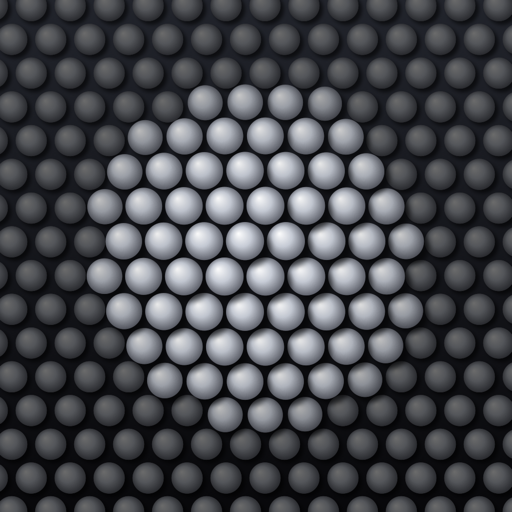
- Real 3D physicsEvery pin has its own weight, friction, shadow, and gravity inside a clear acrylic frame.
- Depth & color capturePress a face, hand, or real object into the pins — even in full camera color — right on-device.
- 3D print your creationsExport any sculpture as a solid hexagonal-column STL file ready for your printer's slicer.
- No ads, no accountsWorks completely offline on iPhone, iPad, Mac (and Android soon). Nothing leaves your device.
Press, stamp & paint
Sculpt from either side.
The entire toy is modeled in 3D: the board, corner posts, clear acrylic front, and thousands of sliding pins. Start on the back pressing pin tips, or flip to the front glass to pull pins out and paint them.
- Press: One finger, a whole hand, or an Apple Pencil. The longer you hold, the deeper the pins go. Switch between Wide and Thin for fine detail.
- 39 solid stamps: Hearts, stars, animals, weather, vehicles and more in three sizes — each leaving a crisp outline and rounded 3D relief.
- Paint in any color: 26 built-in colors plus a full color picker for any shade you want, pin by pin or with height-aware Fill that stays neatly inside raised shapes.
- Magnet: Pull pins toward you to draw raised reliefs from the front, or rub sections flat from the back.
Color capture & 3D printing
Capture real color. Then 3D print it for real.
Point the camera at something vivid and tap In color: every pushed pin takes both its exact 3D height and its real shade straight from the camera's picture. When you make something worth holding in your hand, turn it straight into a solid 3D print.
- In color: With either camera, pick Press in for a classic monochrome relief or In color to paint every pressed pin from what the camera sees — all processed right on your device.
- Export to 3D print (STL): Open any creation in your Gallery and tap 3D. Pick Small (100 mm), Medium (160 mm) or Large (220 mm) and Shallow or Deep relief, then send the STL straight to your printer's slicing app.
- Built to print cleanly: Every pin becomes a solid six-sided column packed edge-to-edge on a flat 2 mm base plate, so the front of your sculpture prints as one crisp, sturdy piece.
- Full-color QR sharing: Creations with thousands of captured colors travel offline too — they automatically loop across a sequence of QR codes that the other device gathers in any order.
Live depth camera
Things a flat drawing can't do.
Hold a toy, a hand, or your face up to the camera and watch the pins rise in real time. Move closer and the shape pushes further in. Then spin the board side-on to see its full 3D profile.
- Clean camera controls: While a camera is on, everything else tucks away — just Cancel, Keep, Press in, and In color.
- Works on every device: Uses LiDAR, dual cameras, or TrueDepth where available, and an on-device Core ML depth model everywhere else — including a Mac's built-in camera.
- Tumble & real gravity: Orbit any way around and pinch to zoom. Tip it glass-up — or shake — and every pin slides home.
Finishes & scenes
Any pin color — and 15 moving scenes behind them.
Switch between classic brushed metals, ten plastic colors, rainbow patterns, or pick any custom color in shiny metal or matte plastic. Then choose what sits behind the board: a plain studio, 14 animated shader scenes (aurora, starry night, lava lamp, sunset, under the sea, disco, rainbow, clouds, snowfall, confetti, retro grid, galaxy, hearts, polka dots), or a photo of your own.
Tap any finish above to try it on the mini pinboard.
Keep it, share it, print it
Built as a quiet, tactile creative toy for desks, couches, and flights — equally satisfying for grown-ups and kids.
Save every pin
The shutter button stores where every single pin sits along with its paint, custom finish, and a three-quarter snapshot. Reopen any creation from the Gallery to keep sculpting later.
Share offline by QR code
Turn a creation into a QR code right on screen — or an automatic sequence of codes for full-color camera imprints. Another device scans it with no internet, no account, and nothing lost.
STL files for 3D printing
Pick a size and relief depth in the Gallery and export a binary STL with every pin turned into a six-sided column on a flat base plate. Opens in any printer's slicing app.
Mac, iPhone, iPad — & Android soon
Resize the Mac window to any shape, press with mouse or trackpad, use shortcuts (⌘S, ⌘G, ⌘R, ⌘F, ⌘Z), and use the built-in webcam. An Android version is on the way too.
Private by design
Camera depth and color capture run purely in memory on your device and camera frames are immediately dropped. No ads, no accounts, no analytics, no tracking. Privacy policy
All ages, zero clutter
Every tool is plainly labeled and Hide tucks the toolbar away with a single tap, leaving just you and the pins — with subtle synthesized pin sounds and haptic taps.
The maker
Built by Timothy Crosley
Tactile Pins is built in Seattle by independent developer Timothy Crosley — part of the same small family studio behind pnw.kids (including Maple Leaf Math, BugJug, and Capitol Hill Coding).
That portrait isn't a filter or a mockup: it's an actual self-portrait captured right inside Tactile Pins using the front camera's In color mode, set against rainbow pins and the starry night scene — with depth and color computed entirely on the device.
Written natively in Swift, SwiftUI, and Metal with zero third-party SDKs, zero trackers, and no cloud servers — designed as a tactile, one-purchase creative toy that respects both kids and grown-ups.
Free to try. 99¢ once for the whole app.
The pins, the magnet, both cameras, and Press in are all free, with a starter box of stamps, paint colors, pin finishes, backgrounds, and three saves. Scanning someone else's QR code is always free.
One 99¢ ($0.99) purchase opens the rest: all 39 stamps, 26 paint colors plus the custom color picker, custom metal and plastic pin colors, all 15 scenes and photo backgrounds, capturing camera shapes in color, unlimited saves, sharing by code, and STL files for 3D printing. Yours for keeps, shared with your family through Family Sharing. No subscriptions, no ads.